

/ Staff
Management of permissions and roles in the WMS
Table of contents
General Description of permissions and roles
Proper management of permissions and roles in the WMS (Warehouse Management System) from Envia.com ensures operational security and avoids errors in customer, order, inventory, receiving and personnel management.
Each role has specific access levels: view (view) y manage (manage).
The permit see allows only the consultation of information, while manage authorizes actions and modifications within the system.
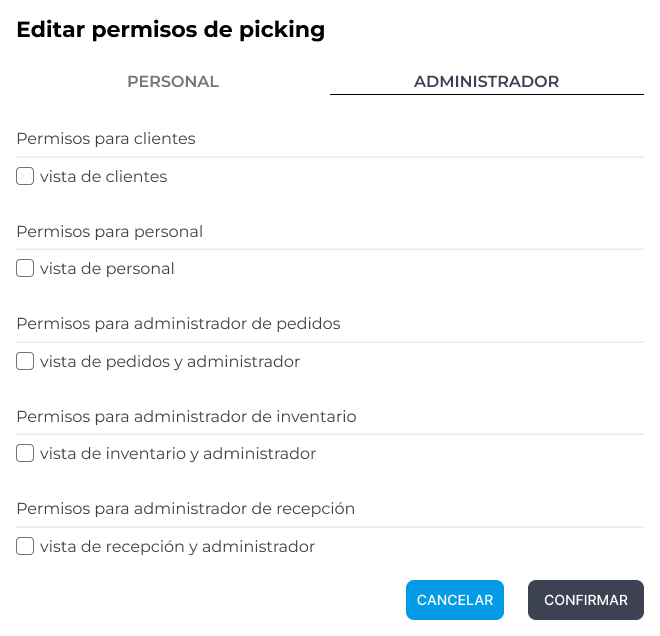
Customer permissions
Client - View (Client View):
Allows you to view the list of customers and their details. It does not allow to perform actions.
Client - Manage (Client Manage):
It includes the “view” functions, in addition to:
- Query and action customer details.
- Deactivate clients.
- Apply extra fees.
- Apply discounts.

Personnel leave
Staff - View (Staff View):
Allows you to view staff members and their activity reports.
Staff - Manage (Staff Manage):
It includes the “view” and "in addition" functions:
- Edit user information.
- Modify permissions (including granting staff permissions).
- Edit assigned clients (add or remove).
- Deactivate staff members.
- Add new personnel to the system.
Order permissions
Orders - View (Orders Admin View):
It allows to visualize:
- Order status.
- Associated products.
- Customer data (if applicable).
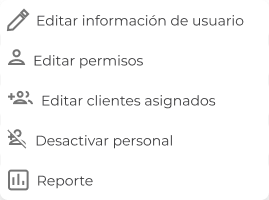
Orders - Manage (Orders Admin Manage):
It includes the “view” and "in addition" functions:
- Initiate operational processes.
- Add discounts.
- Consult the picking sheet.
- Cancel or pause the order.
Inventory permits
Inventory - View (Inventory Admin View):
Allows you to view all stored products, their dimensions, weight, store of origin, stock, locations and barcodes.
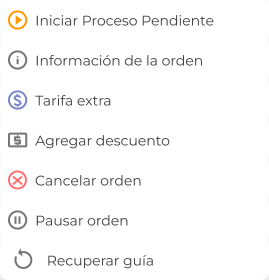
Inventory - Manage (Inventory Admin Manage):
It includes the “view” and "in addition" functions:
- Rearrange product locations.
- Consult transaction history.
- Scanning bar codes.
- Edit measurements or product details.
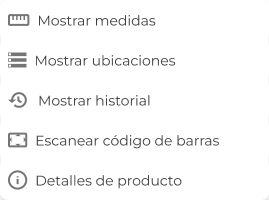
Receiving permits
Reception - View (Reception Admin View):
Allows you to see the boxes in reception or already received, the store they belong to, their status, number of SKUs and items.
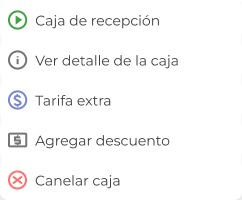
Reception Admin Manage:
It includes the “view” and "in addition" functions:
- Start the reception process.
- Apply extra fees.
- Add discounts.
- Cancel receipt of the box.
Best practices in the management of permits from the WMS
- Record the changes: documents who granted each permit and when.
- It applies the principle of least privilege: grants only the necessary permissions for the tasks of each role.
- Difference between seeing and managing: assigns see to consultation profiles and manage to those who execute actions.
- Review permissions periodically: audits at least once a month or when personnel functions change.
A correct management of roles and permissions in the WMS guarantees the security, traceability and operational efficiency of the warehouse.
Assigning the appropriate access to each user allows you to maintain process control and avoid errors in daily operations.

Was this resource helpful to you?